Email Notifications System
Comprehensive guide to configuring and managing email notifications for workflow alerts, campaign updates, and system communications.
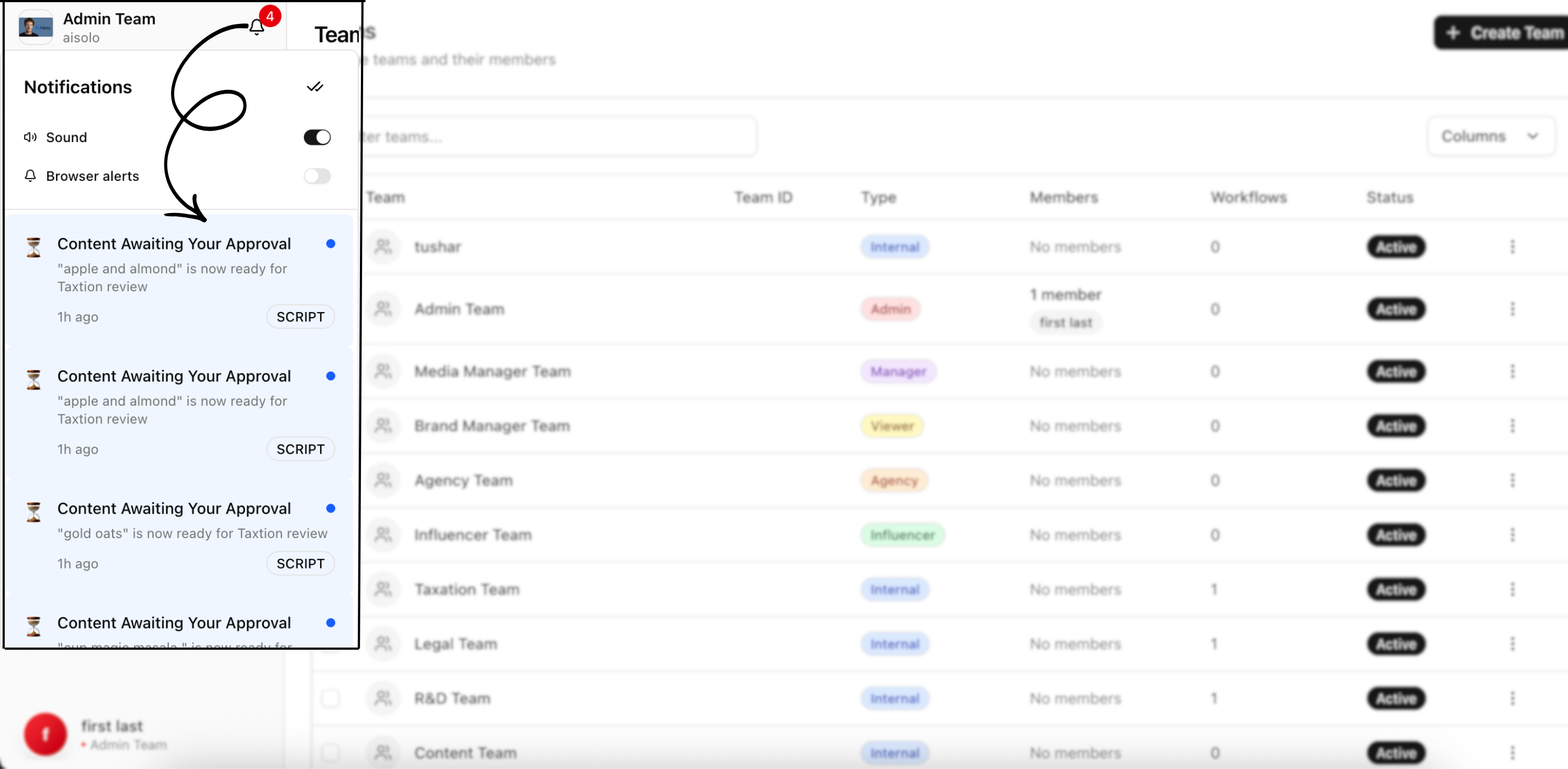
Email notifications ensure all stakeholders stay informed about critical workflow events, campaign progress, and platform activities. This guide covers configuring, managing, and optimizing email notification systems for effective communication and workflow coordination.
Email Notification Overview
Purpose and Benefits
Email notifications provide external accessibility to platform activities, ensuring users stay informed even when not actively using Infloq. They serve as a critical communication bridge for workflow coordination, deadline management, and stakeholder engagement.
Key Benefits
- External Accessibility: Reach users outside the platform environment
- Immediate Alerts: Real-time delivery for urgent workflow events
- Comprehensive Information: Detailed context and information in email format
- Mobile Compatibility: Optimized for mobile email clients and devices
- Audit Trail: Permanent communication record for compliance and tracking
Communication Goals
- Workflow Coordination: Synchronize team activities and handoffs
- Deadline Management: Prevent missed deadlines and delays
- Quality Assurance: Ensure proper review and approval processes
- Stakeholder Engagement: Keep all parties informed and engaged
- Issue Resolution: Rapid communication of problems and solutions
Email Notification Categories
Workflow and Approval Notifications
Content Submission Alerts
- New Submissions: Notifications when content enters your approval queue
- Assignment Alerts: Alerts when content is specifically assigned to you
- Queue Updates: Updates on approval queue status and priorities
- Batch Notifications: Consolidated alerts for multiple content submissions
- Priority Flags: Special alerts for high-priority or urgent content
Approval Request Notifications
- Direct Approval Requests: Personal requests for content review and approval
- Deadline Reminders: Alerts for approaching approval deadlines
- Escalation Warnings: Notifications when approval timelines are at risk
- Review Requirements: Specific requirements and criteria for approval decisions
- Context Information: Background information and campaign context for informed decisions
Status Update Notifications
- Approval Confirmations: Confirmations when content has been approved
- Rejection Notifications: Alerts when content has been rejected with reasons
- Revision Requests: Notifications when content revisions are required
- Workflow Progress: Updates on content movement through approval stages
- Final Outcomes: Final approval or rejection decisions and next steps
Campaign Management Notifications
Campaign Lifecycle Alerts
- Campaign Creation: Notifications when new campaigns are created
- Campaign Launch: Alerts when campaigns go live and become active
- Milestone Achievements: Notifications when campaigns reach important milestones
- Campaign Completion: Alerts when campaigns are completed or concluded
- Campaign Modifications: Notifications when campaign parameters are changed
Participant Management Notifications
- Invitation Alerts: Notifications when invited to join campaigns
- Role Assignments: Alerts when assigned to campaign roles or responsibilities
- Team Updates: Notifications about team changes and assignments
- Access Changes: Alerts when campaign access or permissions are modified
- Collaboration Invitations: Invitations to collaborate on specific campaign elements
Performance and Budget Notifications
- Performance Reports: Scheduled performance summary emails
- Budget Alerts: Notifications when budgets approach spending thresholds
- ROI Updates: Return on investment performance updates
- Timeline Alerts: Notifications about campaign timeline status and potential issues
- Quality Reports: Content quality and compliance performance summaries
Administrative and System Notifications
User Management Notifications
- Account Creation: Welcome emails for new user accounts
- Role Changes: Notifications when user roles or permissions change
- Access Grants: Alerts when granted access to new features or campaigns
- Security Alerts: Notifications about security events and login activities
- Profile Updates: Confirmations for profile and account changes
System and Platform Notifications
- Platform Updates: Notifications about platform updates and new features
- Maintenance Alerts: Advance notice of scheduled maintenance and downtime
- Security Notifications: Important security updates and recommendations
- Policy Changes: Notifications about policy updates and changes
- Performance Issues: Alerts about system performance issues and resolutions
Billing and Subscription Notifications
- Payment Processing: Confirmations and receipts for payment processing
- Subscription Changes: Notifications about subscription modifications
- Billing Issues: Alerts about billing problems or payment failures
- Renewal Reminders: Advance reminders for subscription renewals
- Usage Alerts: Notifications when approaching usage limits or quotas
Email Configuration and Customization
Notification Preferences
Frequency Settings
- Immediate Delivery: Real-time email delivery for urgent notifications
- Digest Mode: Consolidated daily or weekly email summaries
- Custom Schedules: User-defined notification delivery schedules
- Intelligent Timing: AI-optimized delivery timing based on user behavior
- Time Zone Optimization: Delivery timing optimized for user time zones
Content Customization
- Personalization: Emails personalized with user and campaign information
- Language Preferences: Email language and localization options
- Format Options: HTML, text, or mobile-optimized email formats
- Branding Integration: Company branding and custom styling options
- Content Filtering: Selective content inclusion based on user preferences
Delivery Management
- Priority Levels: Different delivery priorities for different notification types
- Frequency Limits: Controls to prevent email overload and spam
- Delivery Channels: Multiple email addresses for different notification types
- Backup Delivery: Alternative delivery methods for critical notifications
- Delivery Confirmation: Read receipts and delivery confirmation tracking
Advanced Email Settings
Smart Filtering and Routing
- Intelligent Categorization: Automatic categorization of email notifications
- Smart Routing: Route different notification types to appropriate email addresses
- Conditional Delivery: Delivery based on user activity and availability
- Context-Aware Filtering: Filter notifications based on current user context
- Relevance Scoring: AI-powered relevance scoring for notification prioritization
Integration Capabilities
- Calendar Integration: Add important events and deadlines to calendar applications
- Task Management Integration: Create tasks in task management applications
- CRM Integration: Sync notifications with customer relationship management systems
- Communication Platform Integration: Forward notifications to team communication platforms
- External System Integration: Connect with external notification and communication systems
Email Templates and Design
Template Management
Pre-Built Templates
- Workflow Templates: Pre-designed templates for workflow notifications
- Campaign Templates: Campaign-specific notification templates
- Administrative Templates: System and administrative notification templates
- Emergency Templates: High-priority and urgent notification templates
- Branded Templates: Company-branded email templates with custom styling
Custom Template Creation
- Template Builder: Visual tools for creating custom email templates
- HTML Customization: Advanced HTML and CSS customization options
- Dynamic Content: Templates with dynamic content based on notification context
- Responsive Design: Mobile-responsive email template design
- A/B Testing: Template testing and optimization capabilities
Template Optimization
- Performance Testing: Email template performance testing and optimization
- Deliverability Optimization: Template optimization for email deliverability
- Engagement Optimization: Template design optimization for user engagement
- Accessibility Compliance: Templates designed for accessibility compliance
- Cross-Client Testing: Testing across different email clients and devices
Email Content Strategy
Message Design Principles
- Clear Communication: Clear, concise, and actionable messaging
- Visual Hierarchy: Effective use of visual hierarchy for information organization
- Call-to-Action Optimization: Prominent and effective call-to-action design
- Brand Consistency: Consistent brand representation across all email communications
- User Experience: Email design optimized for positive user experience
Content Optimization
- Subject Line Optimization: Compelling and informative subject lines
- Preview Text: Optimized preview text for email client previews
- Content Length: Appropriate content length for different notification types
- Link Optimization: Effective use of links for user engagement and action
- Image Optimization: Optimized use of images for engagement and deliverability
Delivery and Performance Management
Email Deliverability
Technical Infrastructure
- SMTP Configuration: Reliable SMTP server configuration and management
- Domain Authentication: SPF, DKIM, and DMARC authentication setup
- IP Reputation Management: Management of sending IP reputation and warming
- Bounce Handling: Systematic handling of bounced and failed emails
- List Management: Clean email list management and maintenance
Deliverability Optimization
- Sender Reputation: Maintenance and optimization of sender reputation
- Content Optimization: Email content optimization for spam filter avoidance
- Engagement Monitoring: Monitoring email engagement metrics for deliverability
- Blacklist Monitoring: Regular monitoring of email blacklist status
- Compliance Adherence: Adherence to email marketing compliance regulations
Performance Analytics
Email Metrics
- Delivery Rates: Percentage of emails successfully delivered
- Open Rates: Percentage of emails opened by recipients
- Click-Through Rates: Percentage of emails resulting in link clicks
- Conversion Rates: Percentage of emails resulting in desired actions
- Unsubscribe Rates: Percentage of emails resulting in unsubscribes
Advanced Analytics
- Engagement Tracking: Detailed tracking of email engagement patterns
- Time-Based Analysis: Analysis of email performance by time and date
- Segmentation Analysis: Performance analysis by user segments and groups
- Device Analysis: Email performance analysis by device and email client
- Geographic Analysis: Performance analysis by geographic location
Performance Optimization
- A/B Testing: Systematic testing of email elements for optimization
- Send Time Optimization: Optimization of email send timing for maximum engagement
- Frequency Optimization: Optimization of email frequency for user satisfaction
- Content Optimization: Optimization of email content for engagement and action
- Template Optimization: Continuous optimization of email templates and design
User Experience and Accessibility
User-Centric Design
Accessibility Features
- Screen Reader Compatibility: Email design compatible with screen readers
- High Contrast Options: High contrast email design options for vision accessibility
- Font Size Options: Adjustable font sizes for readability
- Alternative Text: Comprehensive alternative text for all images
- Keyboard Navigation: Email design supporting keyboard-only navigation
Mobile Optimization
- Responsive Design: Email templates responsive to different screen sizes
- Mobile-First Design: Email design prioritizing mobile user experience
- Touch-Friendly Elements: Design elements optimized for touch interaction
- Fast Loading: Email optimization for fast loading on mobile connections
- App Integration: Integration with mobile email applications
Personalization and Customization
Dynamic Personalization
- User Name Personalization: Personal greeting and name usage in emails
- Role-Based Content: Email content customized based on user role and responsibilities
- Campaign Context: Email content personalized based on campaign involvement
- Historical Data: Personalization based on user historical activity and preferences
- Predictive Content: AI-powered content personalization and prediction
User Control Options
- Preference Management: Comprehensive user control over email preferences
- Frequency Control: User control over email frequency and timing
- Content Selection: User ability to choose specific notification types
- Format Selection: User choice of email format and design preferences
- Unsubscribe Options: Easy and comprehensive unsubscribe options
Compliance and Security
Legal Compliance
Email Marketing Compliance
- CAN-SPAM Act Compliance: Compliance with CAN-SPAM Act requirements
- GDPR Compliance: European data protection regulation compliance
- CCPA Compliance: California Consumer Privacy Act compliance
- Opt-In Management: Proper opt-in and consent management procedures
- Unsubscribe Handling: Compliant unsubscribe and opt-out procedures
Data Protection
- Data Encryption: Encryption of email content and user data
- Access Controls: Strict access controls for email systems and data
- Audit Logging: Comprehensive logging of email system access and activities
- Data Retention: Appropriate data retention policies and procedures
- Privacy Protection: Protection of user privacy in email communications
Security Measures
Email Security
- Spam Protection: Advanced spam filtering and protection measures
- Phishing Protection: Protection against phishing attacks and malicious emails
- Virus Scanning: Comprehensive virus and malware scanning
- Content Filtering: Filtering of inappropriate or dangerous content
- Authentication: Strong authentication for email system access
System Security
- Server Security: Secure configuration and management of email servers
- Network Security: Network-level security for email systems
- Access Monitoring: Continuous monitoring of email system access
- Incident Response: Comprehensive incident response procedures for security events
- Regular Updates: Regular security updates and patch management
Integration and Automation
Workflow Integration
Automated Trigger Management
- Event-Based Triggers: Automatic email triggers based on workflow events
- Conditional Logic: Complex conditional logic for email delivery
- Time-Based Triggers: Time-based automatic email delivery
- Performance-Based Triggers: Triggers based on performance metrics and thresholds
- User Behavior Triggers: Triggers based on user behavior and activity
Multi-Channel Coordination
- Platform Notification Coordination: Coordination with in-platform notifications
- SMS Integration: Integration with SMS notification systems
- Push Notification Coordination: Coordination with mobile push notifications
- Calendar Integration: Integration with calendar and scheduling systems
- Task Management Integration: Integration with task and project management systems
External System Integration
CRM Integration
- Customer Data Sync: Synchronization with customer relationship management systems
- Lead Management: Integration with lead management and tracking systems
- Sales Pipeline Integration: Integration with sales pipeline and opportunity management
- Customer Communication: Coordination with customer communication systems
- Support System Integration: Integration with customer support and ticket systems
Business Intelligence Integration
- Analytics Platform Integration: Integration with business intelligence platforms
- Data Warehouse Integration: Connection with data warehouse and analytics systems
- Reporting System Integration: Integration with enterprise reporting systems
- Dashboard Integration: Connection with business dashboard and monitoring systems
- Performance Management Integration: Integration with performance management systems
Best Practices for Email Notifications
Strategic Email Management
- Purpose-Driven Design: Design emails with clear purpose and objectives
- User-Centric Approach: Prioritize user needs and preferences in email design
- Content Quality: Maintain high quality and relevance in all email content
- Consistent Branding: Ensure consistent brand representation across all emails
- Continuous Optimization: Continuously optimize email performance and user experience
Operational Excellence
- Reliable Delivery: Ensure reliable and consistent email delivery
- Performance Monitoring: Continuously monitor email performance and effectiveness
- User Feedback Integration: Actively seek and integrate user feedback
- Compliance Maintenance: Maintain strict compliance with all applicable regulations
- Security Focus: Prioritize security in all email system operations
User Experience Optimization
- Accessibility Priority: Prioritize accessibility in all email design and content
- Mobile-First Approach: Design emails with mobile users as primary consideration
- Personalization Balance: Balance personalization with privacy and user control
- Frequency Management: Carefully manage email frequency to avoid user fatigue
- Value Delivery: Ensure every email delivers genuine value to recipients
Troubleshooting Email Issues
Common Email Problems
Delivery Issues
- Bounce Management: Systematic handling of bounced and undelivered emails
- Spam Filter Issues: Resolution of emails being caught by spam filters
- Blacklist Resolution: Resolution of sender IP or domain blacklisting
- Authentication Problems: Resolution of email authentication issues
- Server Configuration Issues: Resolution of SMTP and server configuration problems
Content and Design Issues
- Rendering Problems: Resolution of email rendering issues across different clients
- Mobile Display Issues: Resolution of mobile email display problems
- Link Problems: Resolution of broken or non-functional email links
- Image Display Issues: Resolution of image loading and display problems
- Template Compatibility Issues: Resolution of template compatibility problems
Resolution Strategies
Technical Troubleshooting
- System Diagnostics: Comprehensive diagnostics of email systems and infrastructure
- Configuration Review: Review and optimization of email system configuration
- Performance Analysis: Analysis of email system performance and bottlenecks
- Integration Testing: Testing of email system integrations and connections
- Security Assessment: Assessment of email system security and compliance
User Support and Training
- User Education: Education of users on email notification features and options
- Preference Management Training: Training on email preference management
- Technical Support: Comprehensive technical support for email-related issues
- Documentation Resources: Comprehensive documentation and help resources
- Community Support: Community forums and support resources for users
Next Steps
Learn about in-platform notification systems
Understand audit logging and compliance tracking
Integrate email notifications with workflow processes
Effective email notification systems are essential for workflow coordination, stakeholder communication, and operational efficiency in influencer marketing campaign management.